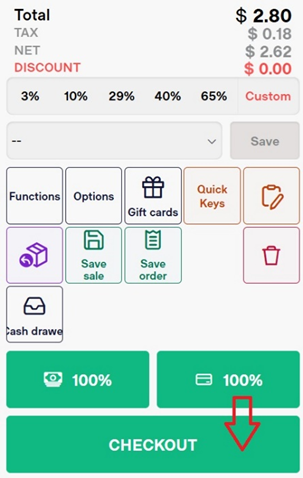
Accepting Payment by Cash
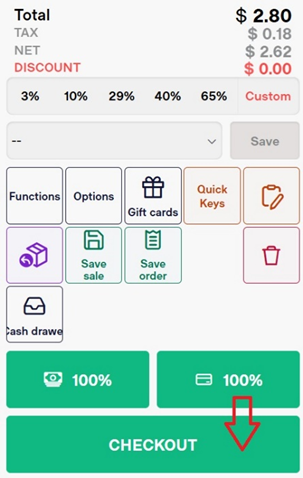
- Select the Checkout button
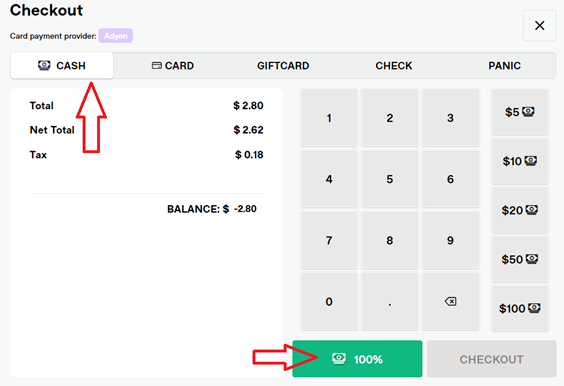
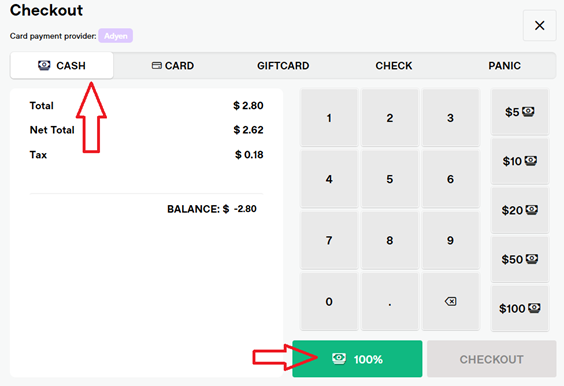
- Select Cash
- Use the on-screen keypad to enter the amount of cash they are paying with.
- Once an amount is entered, you will see the change owed on this screen
- If the customer is paying in cash and the exact amount, you can click the 100% button.
- On the Finish Sale screen, you have options to Show, Print, Email, or Print a Gift Receipt.
- Clicking New Sale returns you to the POS screen, ready for the next customer.