Skip to main content
Mast General Store Knowledge Base
View All
Search
Shelves
Books
Log in
Info
Content
Taking Payment
Accepting Payment by Cash
Page Revisions
Revision #520 Changes
Accepting Payment by Cash
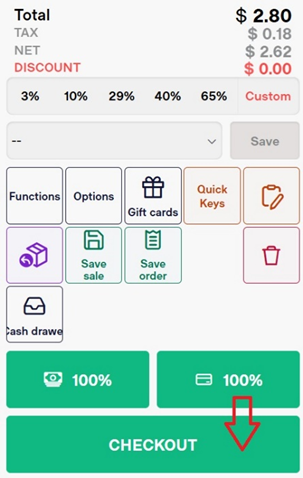
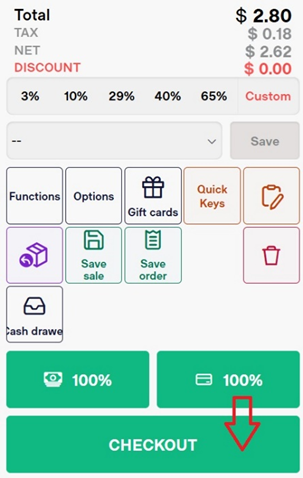
Select the
Checkout
button
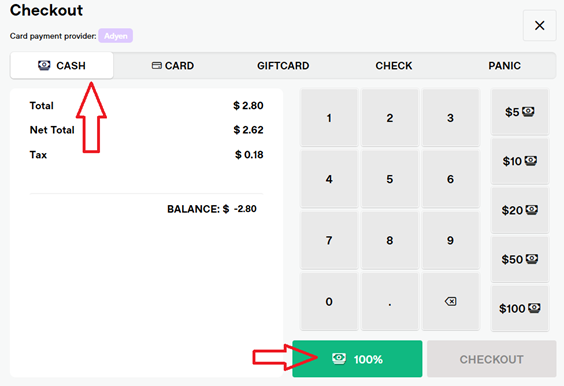
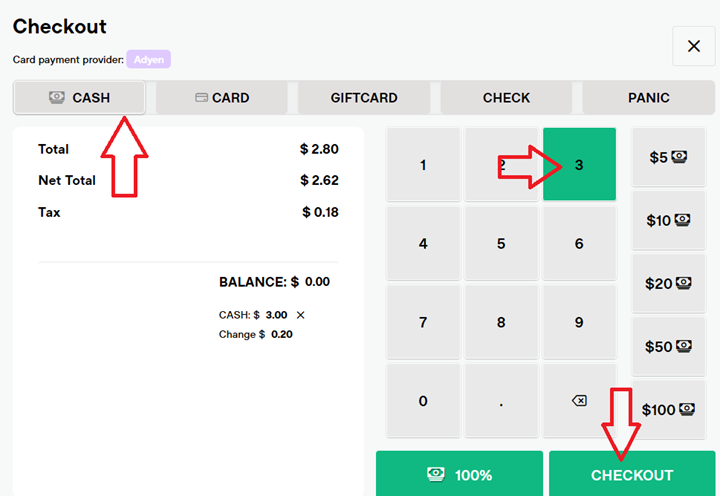
Select
Cash.
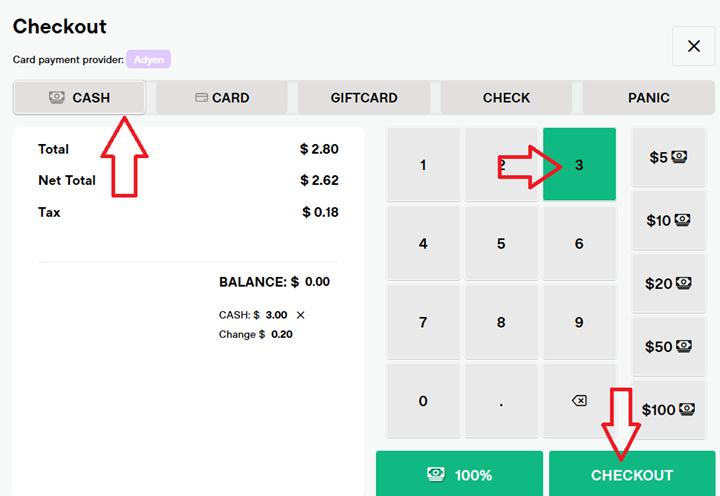
Use the on-screen keypad to
enter the amount
of cash they are paying with.
If exact change is provided, select the 100% button.
Select
Checkout
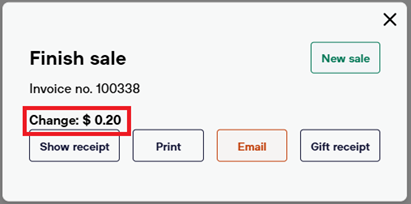
Select the proper
receipt
option (show, print, email, gift)
Select
New Sale
to return to the POS screen, ready for the next transaction.
Back to top