Save or Delete entire sales transaction before transaction is closed
Save or Delete entire sales transaction before transaction is closed: (24)
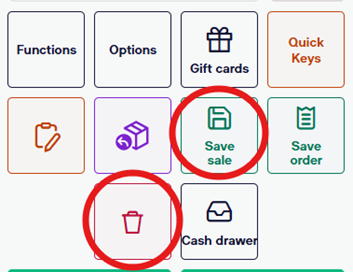
- To delete an entire transaction, simply select the trashcan icon on the bottom right of the sales screen.
- To save a transaction, select the “Save Sale” icon on the bottom right of the sales screen. This will automatically save everything you have scanned, discounted, etc. (Saved sales will be cleared each night)