Skip to main content
Mast Knowledge Base
View All
Search
Shelves
Books
Log in
Info
Content
Brand Creation
Page Revisions
Revision #663 Changes
Brand Creation
To start creating a new Brand
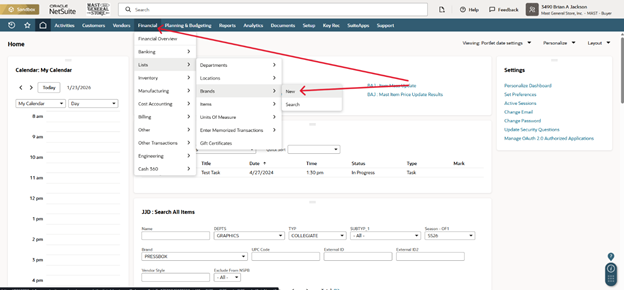
Go to the Financial drop down menu, located on the ribbon at the top of NetSuite
Next, navigate to List >> Brands >> New
You will be at the New Brand screen
Type in the name of the Brand
Click Save
Located at top of page
You have now Created a Brand
Back to top