Creating A New Vendor
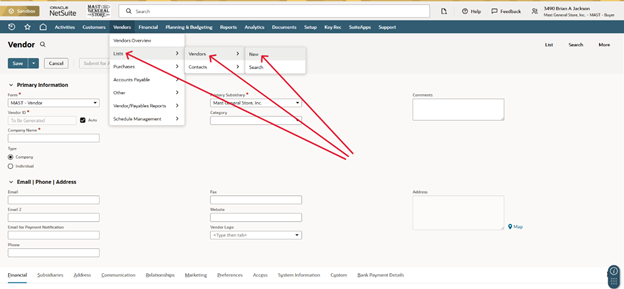
- Now you can start to fill out the vendor information
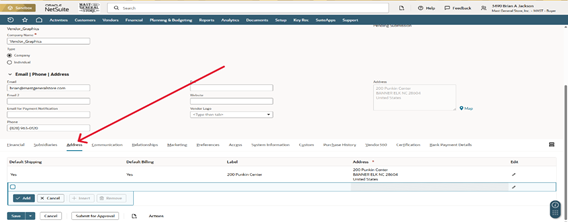
- Company Name = Vendor Name
- Ex: Vendor_Graphics
- Make sure to uncheck Auto, next to Vendor ID
- Phone
- Ex: 828-963-0120
- Company Name = Vendor Name
- Next go to the Address tab on the menu ribbon, located towards the bottom of the vendor page