
Dashboard - Create and Edit
Customizing Your Dashboard
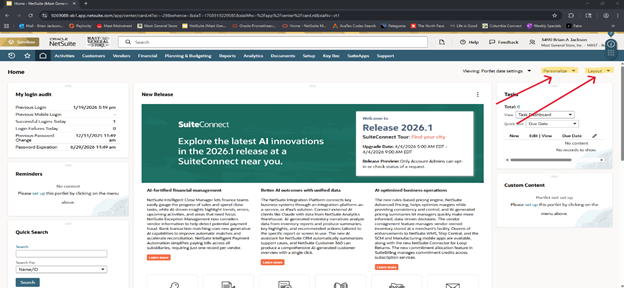
- You will use the Personalize and Layout menus, located in the top right corner of the Dashboard (See example above)
- There are four (4) options available for your Layout when you click on the menu
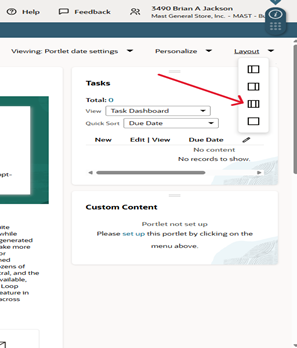
- Clicking on Personalize will reveal a dropdown menu, located at the top of the dashboard
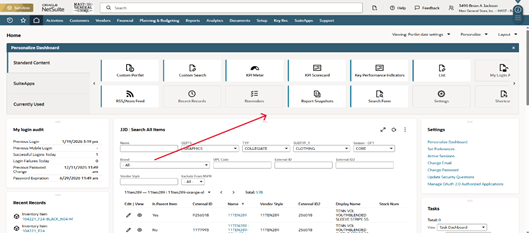
- The main dashboard items that I use currently are:
- Custom Search
- Recent Records
- When you select Custom Search, you will have a widget appear on you Dashboard.
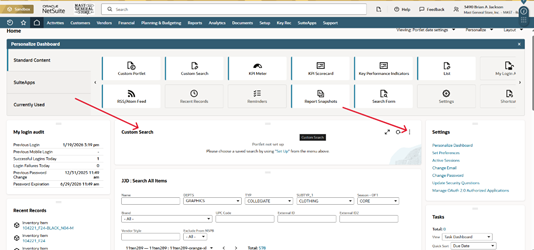
- To customize the search, click on the three (3) dots, in the top right corner of the widget
- A new window will appear
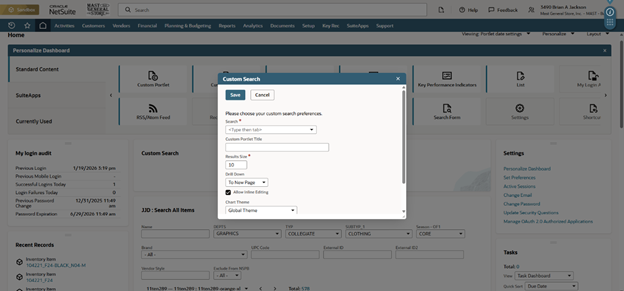
- Select the top field and enter JJD
- This will bring up a list of Saved Searches that Josh has created.
- I am currently using JJD: Search All Items
- You can select the search size as well
- This will bring up a list of Saved Searches that Josh has created.
- You will not need to set up Recent Records
- This will be items and pages that you have viewed recently